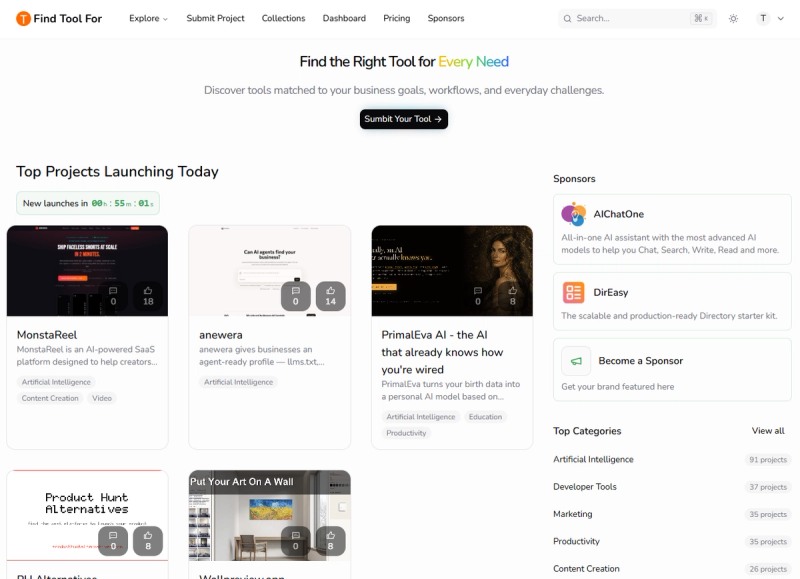
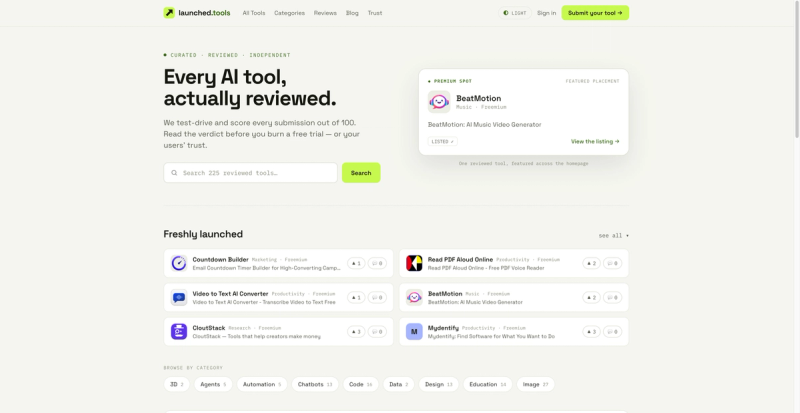
Find Tool For is a curated navigation directory that helps users discover, compare, and choose from over 5000 handpicked AI and creative tools. It serves as a centralized platform for browsing tools by categories, trending lists, and featured sections, with fast search and clear comparison points.
Find Tool For is a web-based directory platform that aggregates and organizes over 5000 AI and creative tools across 10+ use-case categories. It provides filtered browsing by "Featured," "Newest," and "Most Used" products, plus a dedicated "Free Tools" filter. Users can search, compare, and submit their own tools for listing.
Key Features
- Extensive curated database — Over 5000 handpicked AI and creative tools across categories like design, writing, video, and finance.
- Trending and featured sections — Dedicated views for "Top Projects Launching Today," "Yesterday's Launches," "Last Week's Top," and "Last Month's Top."
- Fast search and filters — Search by keyword and filter by category or free tools to narrow down options.
- Tool submission — Creators can submit their own tools for listing, with premium placement options for faster approval and better visibility.
- Clear comparison points — Each listing includes an introduction, target audience, key features, use cases, pricing, pros/cons, and category tags.
- Community-driven popularity — Upvote system (shown as comment counts) surfaces the most popular tools.
Who is it for?
- Developers and creators — To discover AI tools for coding, design, marketing, or productivity without manually searching multiple sources.
- Business owners — To compare and select tools for their workflows, such as AI video generators or financial planning apps.
- Tool builders — To submit their own products and gain visibility among a targeted audience through premium placements.
- General users — Anyone looking for specific digital tools (e.g., image editing, speech analysis) can browse categories or search directly.
- Discover trending AI tools — Browse "Top Projects Launching Today" to see new tools like PerplexityAI (AI directory) or Garden Letters (AI-powered letter creation).
- Compare tool features — Each listing includes detailed specs, pricing model (free/freemium/paid), and pros/cons to inform purchasing decisions.
- Submit your own tool — Creators can submit their SaaS or app for listing, with options for premium placement to boost exposure.
Users land on the homepage and see a dashboard of trending launches updated in real time. They can click any tool card to view its full profile, or use the search bar and category filters to find specific tools. Creators submit their tool via the "Submit Your Tool" link, after which it may appear in the directory pending review.
Pricing
Browsing the directory and viewing tool profiles is completely free. Creators can submit tools for free, with optional premium placement packages for faster approval and enhanced visibility (specific pricing not disclosed).
Pros and cons
- Pros: Free to browse; large curated database (5000+ tools); organized by categories and trending periods; includes both free and paid tools; submission feature for creators.
- Cons: No user reviews or ratings for individual tools; comparison relies on static descriptions; does not offer side-by-side feature comparison; premium placement costs are not transparent.